WiFi QR Code Generator
Create a free WiFi QR code your guests can scan to connect instantly. Enter your network name and password below, generate the code, and download a print-ready PNG or SVG. No account needed — your credentials stay on your device.
WiFi Details
Your QR Code
Your QR code will appear here
Your password never leaves your browser. All processing is done locally.
- Custom QR Colors
- Add Your Logo
- High-Resolution Export
- Batch Generation
- Custom QR Colors
- Add Your Logo
- High-Resolution Export
- Batch Generation
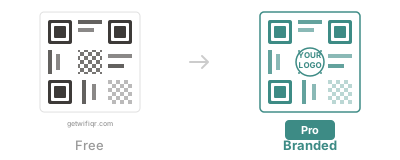
Design Inspiration
See what your WiFi QR code could look like




Want a branded QR that matches your place?
Pro adds custom colors, logo overlay, and clean exports for signage. See examples before you upgrade.
Who Uses WiFi QR Codes?
Restaurants & Cafes
Print a WiFi QR code on your menu or table tent so diners connect without asking staff. See restaurant WiFi QR setup.
Hotels & Airbnb Hosts
Place a scannable code in the room or welcome guide. Guests appreciate skipping long passwords. Hotel WiFi QR guide · Airbnb WiFi QR guide.
Offices & Events
Share conference-room or event WiFi with a single scan. No more writing passwords on whiteboards. Office WiFi QR setup.
WiFi QR Code FAQ
Is this WiFi QR code generator really free?
Yes. There is no signup, no watermark, and no usage limit. Generate and download as many codes as you need.
Does a WiFi QR code work on iPhone and Android?
Yes. iPhones running iOS 11+ and Android 10+ devices can scan WiFi QR codes natively with the built-in camera app.
Is my WiFi password safe when I use this tool?
Completely. The QR code is generated in your browser. Your network name and password are never sent to a server. Learn more about WiFi QR security.
What format should I download — PNG or SVG?
PNG works for most printing needs. Choose SVG if you need to scale the code to poster or banner size without losing quality.
Do I need to make a new QR code if I change my WiFi password?
Yes. The password is encoded in the QR image, so generate a fresh code whenever your credentials change.